 Budget Lock Pro
Expense tracker with a calculator
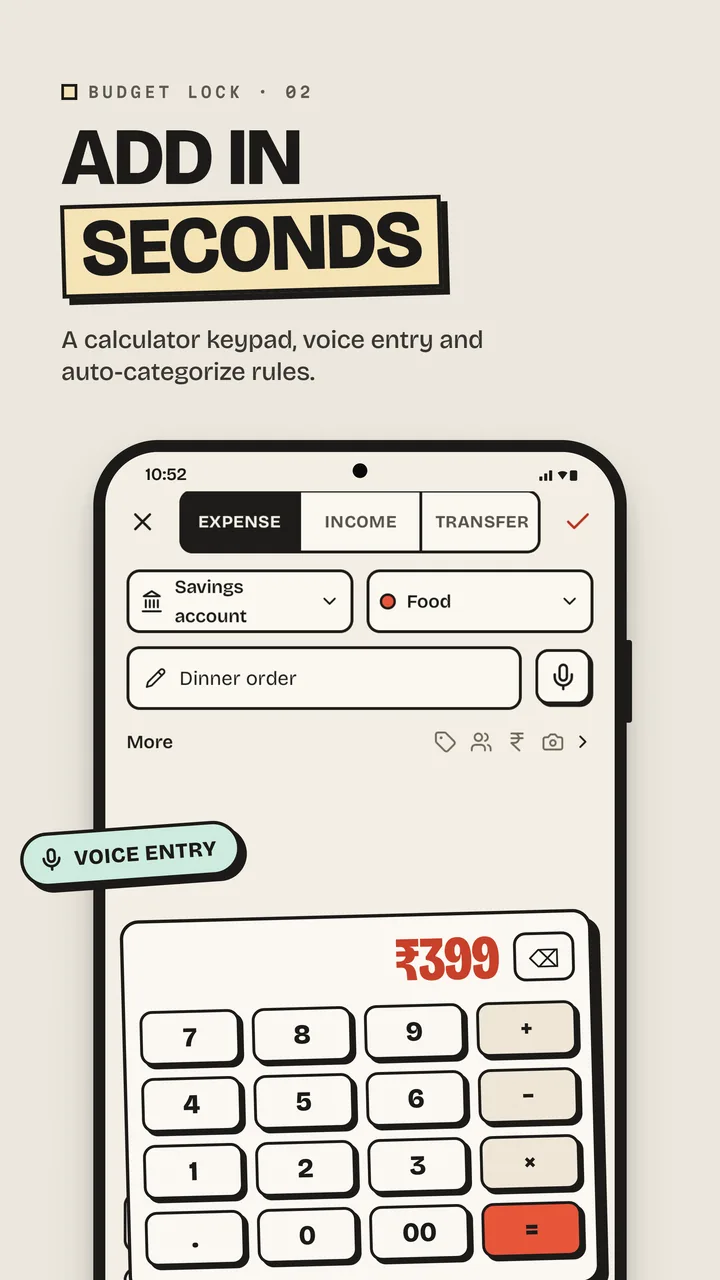
Type 120+80 and it adds up. Add notes, tags and receipt photos, and let rules pick the category for you.
Budget Lock Pro is an offline expense tracker and budget planner. Everything is encrypted with a passcode only you know, and it works offline, with no account and no ads.
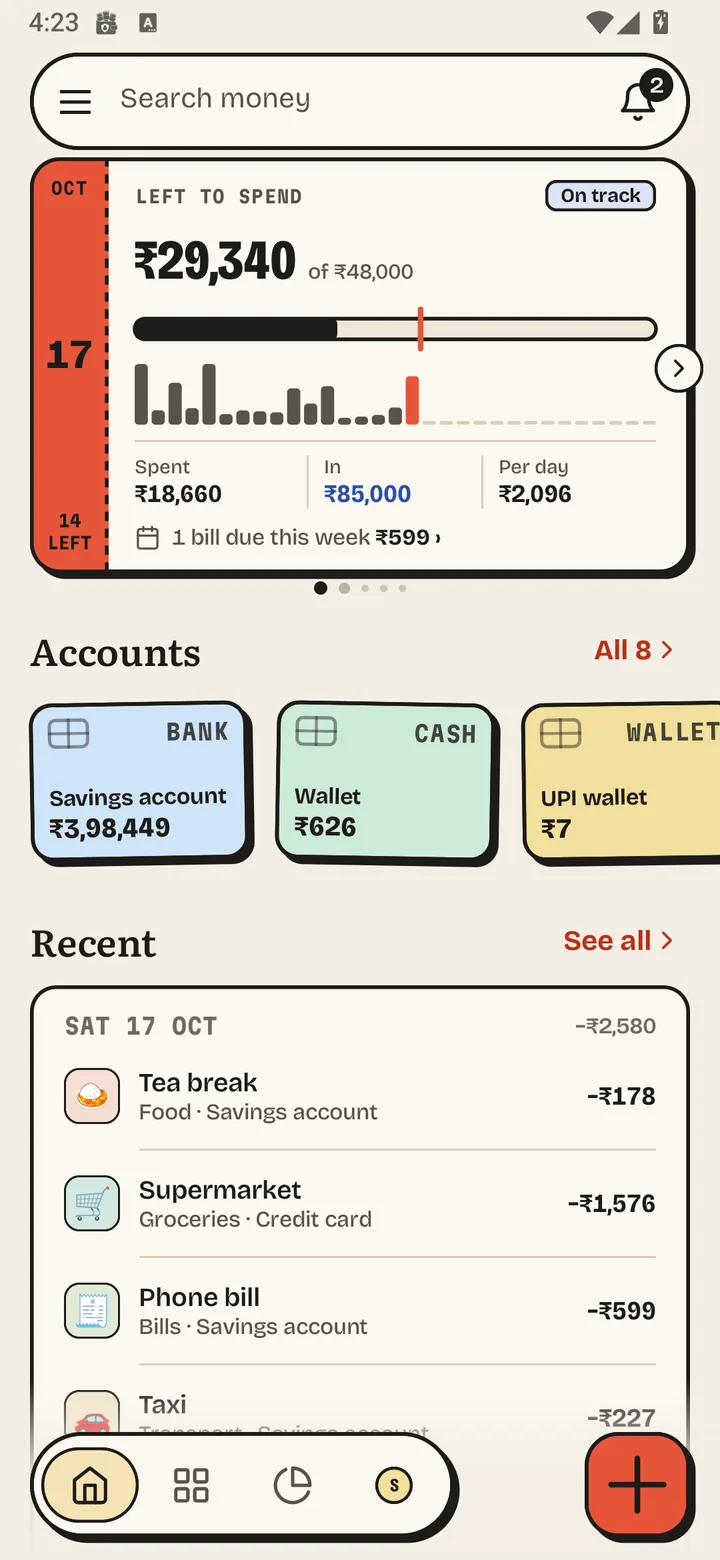
Tap through the real app. These are real screens with sample data.
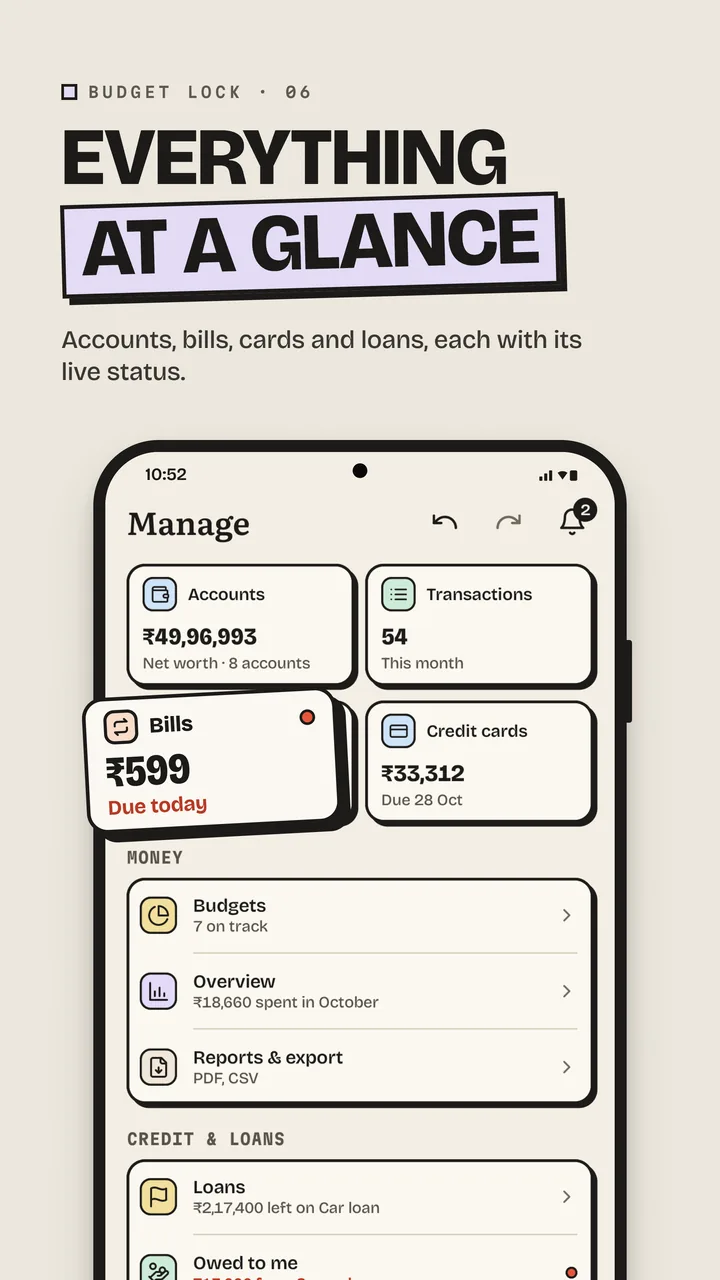
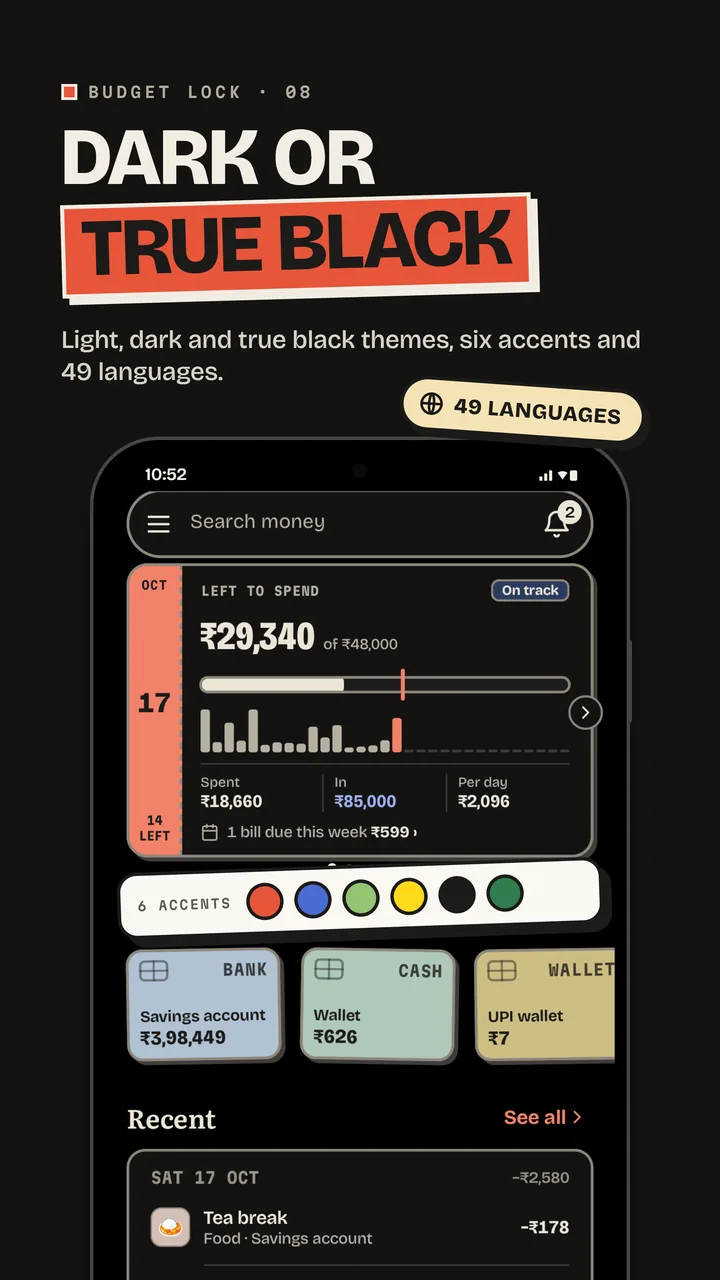
Left to spend this month, today's pace, bills due this week, your accounts and recent entries.
Built for every day, with nothing to sign up for.
Type 120+80 and it adds up. Add notes, tags and receipt photos, and let rules pick the category for you.
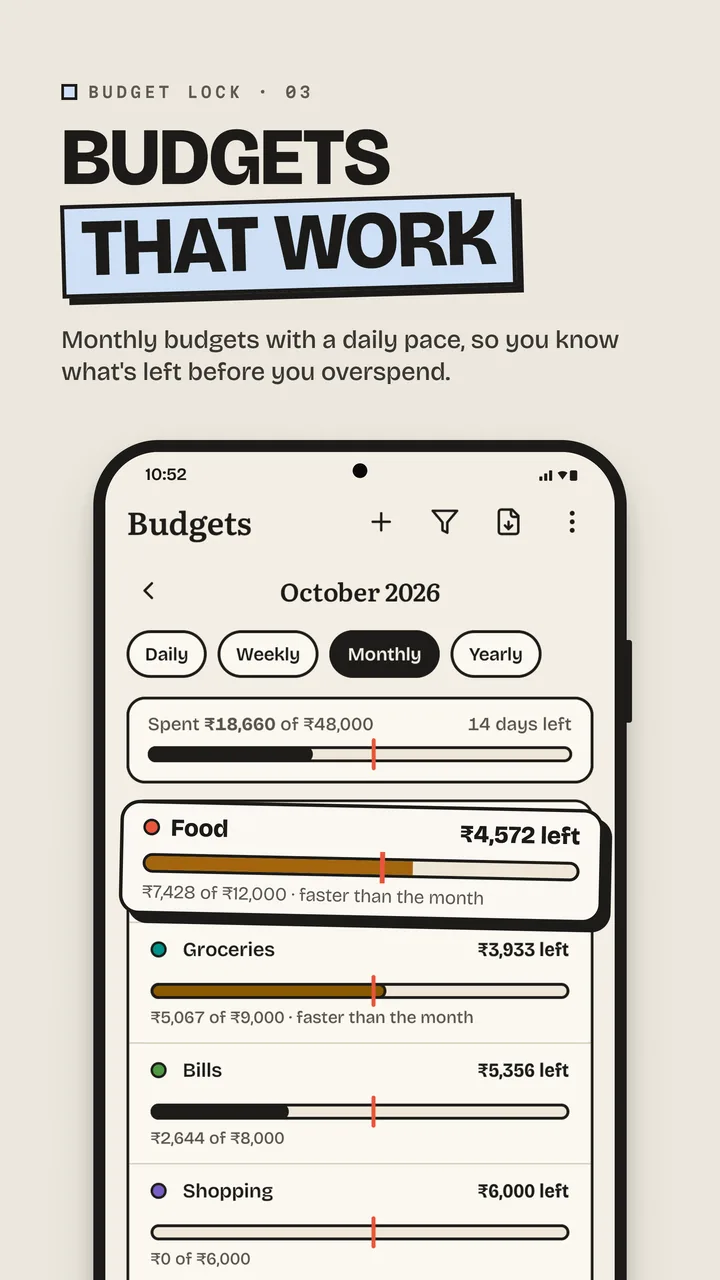
Budgets by category with a daily pace, so you see trouble before the month ends.
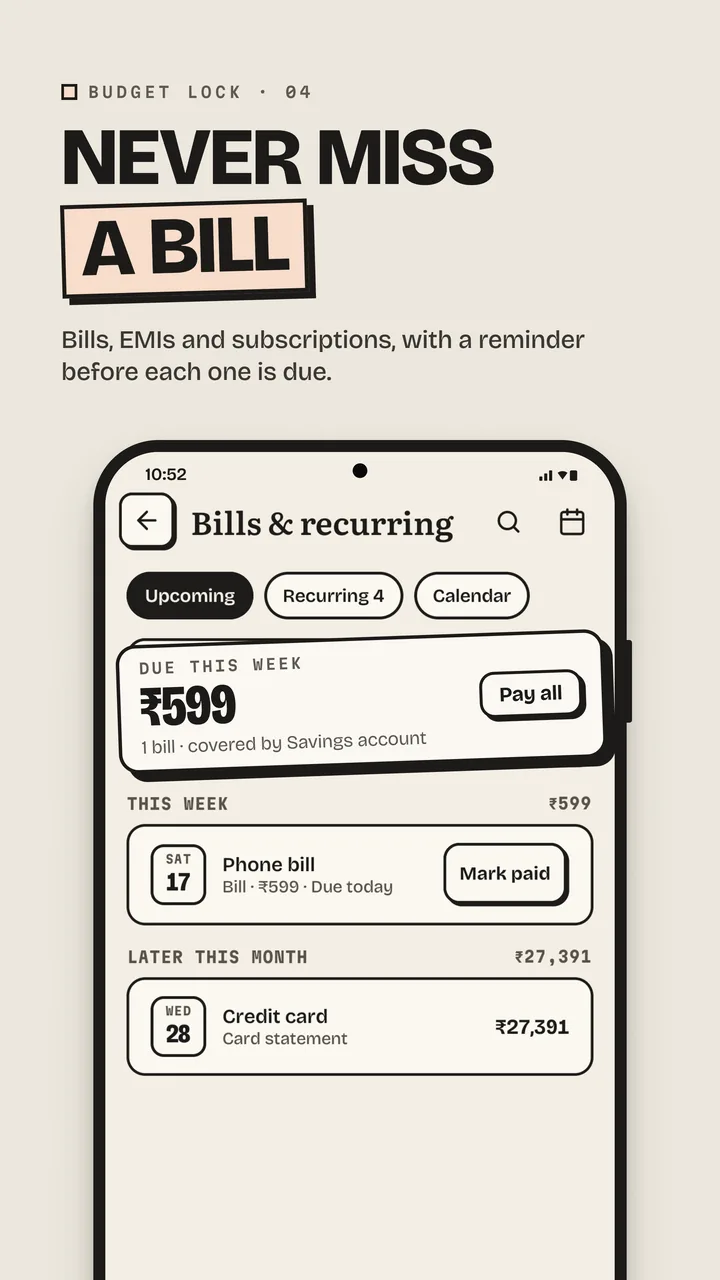
A reminder before each payment, and a calendar of everything that's due.
Bank, cash, wallets, credit cards and loans, with card due dates and what's left on each loan.
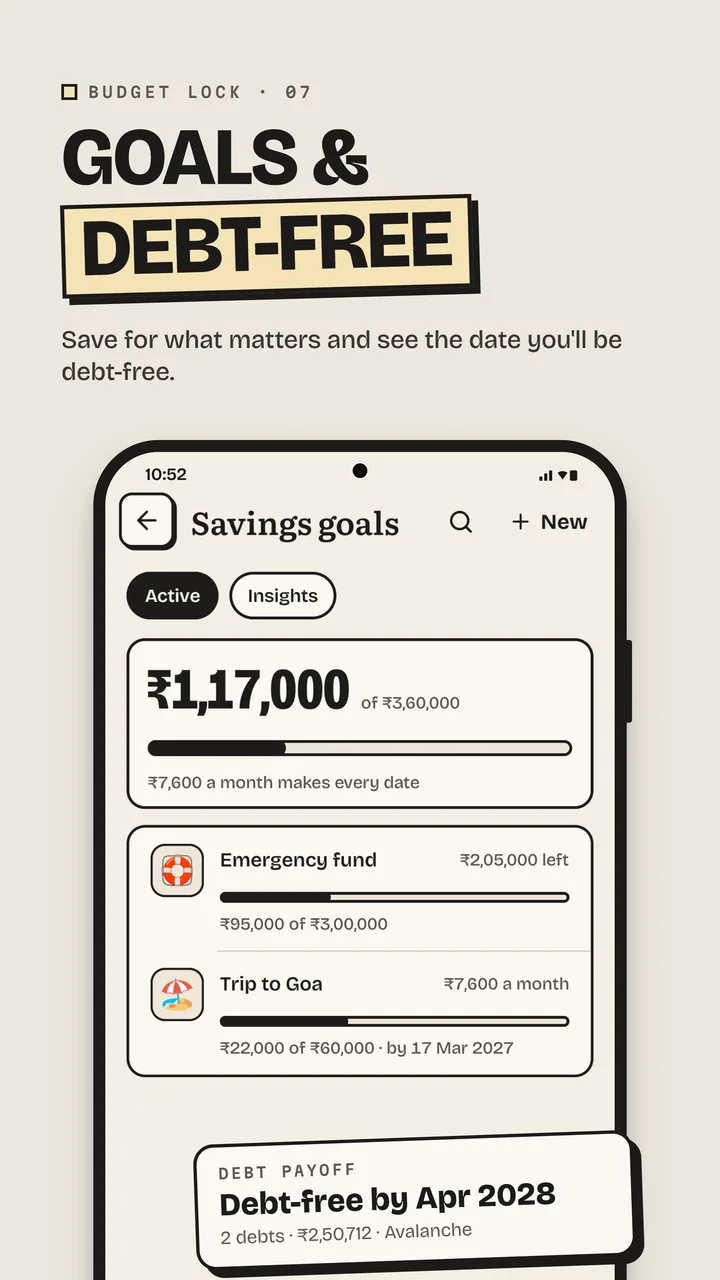
Goals with progress you can see and the monthly amount that gets you there.
Avalanche or snowball, and the month you'll be debt-free.
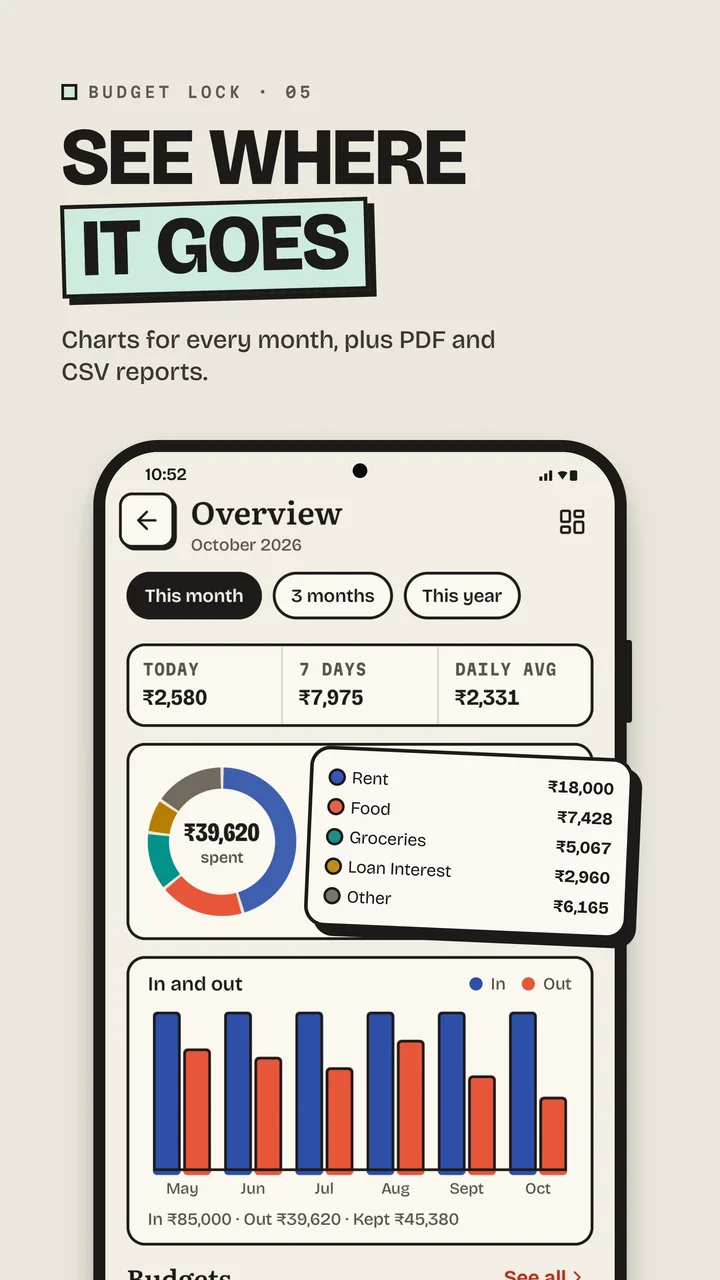
Where your money went, month by month. Export to PDF or CSV.
Bring in past transactions from a CSV file.
Save a backup file whenever you like and restore it on any phone, or turn on cloud backup to your own Google Drive. Coming from the older Budget Lock app? Restore its backup and everything comes across.
Passcode lock, auto-lock, a pause after wrong tries, a recovery key you keep on paper, and screens hidden from screenshots.
Speak an entry instead of typing it. Offline recognition is on by default.
Keep personal and business money apart, each with its own passcode.
Your numbers at a glance, with balances hidden if you like.
Three themes, six accent colours and large text, all in the same Ink & Paper look.
49 languages, any currency, and Indian lakh and crore formatting.
No sign-up and no email. Your passcode encrypts everything on the phone.
Your accounts, a budget and your bills take a few minutes. Then add expenses as they happen.
One payment on Google Play, nothing to renew. Save an encrypted backup whenever you like: it's a file you keep.
How it stacks up against most cloud budget apps.
| What matters | Budget Lock Pro | Most cloud budget apps |
|---|---|---|
| Works without the internet | Always | Needs a connection |
| No account or email | None needed | Sign-up required |
| Where your data lives | Your phone (Drive optional) | On their servers |
| Encrypted with a passcode only you know | AES-256 | Rarely |
| No ads, no analytics | None at all | Often ads or analytics |
| Price | Pay once | Monthly subscription |
| Backup file you own | Encrypted file | Export, sometimes |
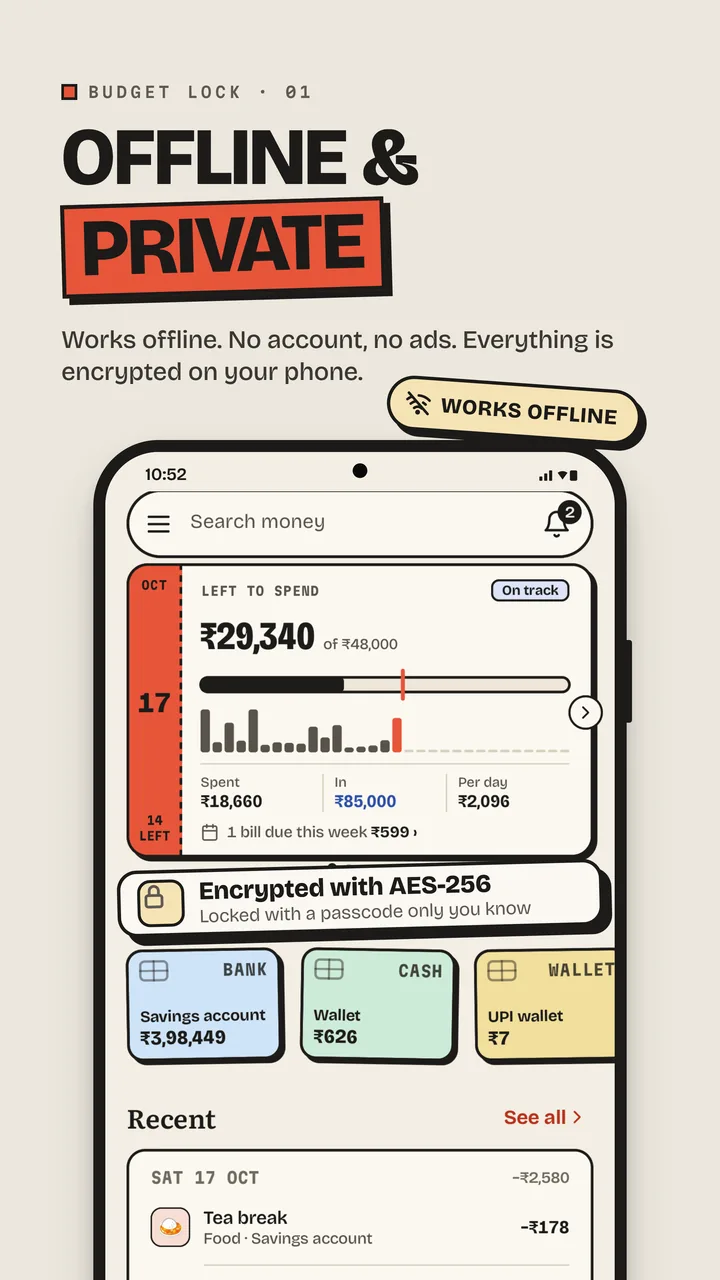
Yes. Everything works offline: adding entries, budgets, bills, reports and saving backup files. Your money data is kept on your phone, encrypted. The app goes online only for extras you choose: cloud backup, exchange rates and the assistant download.
On your phone, encrypted with AES-256 using a key made from your passcode. If you turn on cloud backup, an encrypted copy also goes to a Budget Lock folder on your own Google Drive, and Google sees only ciphertext.
Use your recovery key, which you can make in App lock. Without the passcode or the recovery key, nobody can open the data, including us.
Yes. Save a backup file in Budget Lock, then tap "Restore from backup" when you first open Pro. Your accounts, entries, budgets and settings come across.
Save a backup file and copy it to your new phone, or use cloud backup. Install Budget Lock Pro there and restore it with the same passcode.
No. You pay once on Google Play. There are no ads and no in-app purchases.
No, by design: there's no server of ours. Use a backup file, or cloud backup to your own Drive, to move your data between phones.
49 languages and any currency, with Indian lakh and crore formatting.
Not your money data. There's no account, no analytics and no ads. A few optional features use the internet, and the privacy policy lists exactly what each one sends.
It's encrypted and needs your passcode to open.
Pay once. Keep your money on your phone.
 Android 8.0 or later